
Overview
Objective:
The primary objective was to design and animate the user interfaces of a Smart Home app.
Context:
As a UI designer specialized in animation, you’re part of the product team at a startup that's developing their first prototype of a Smart Home app. You’ve been asked to design the 3 to 5 main app screens and then integrate motion into them.
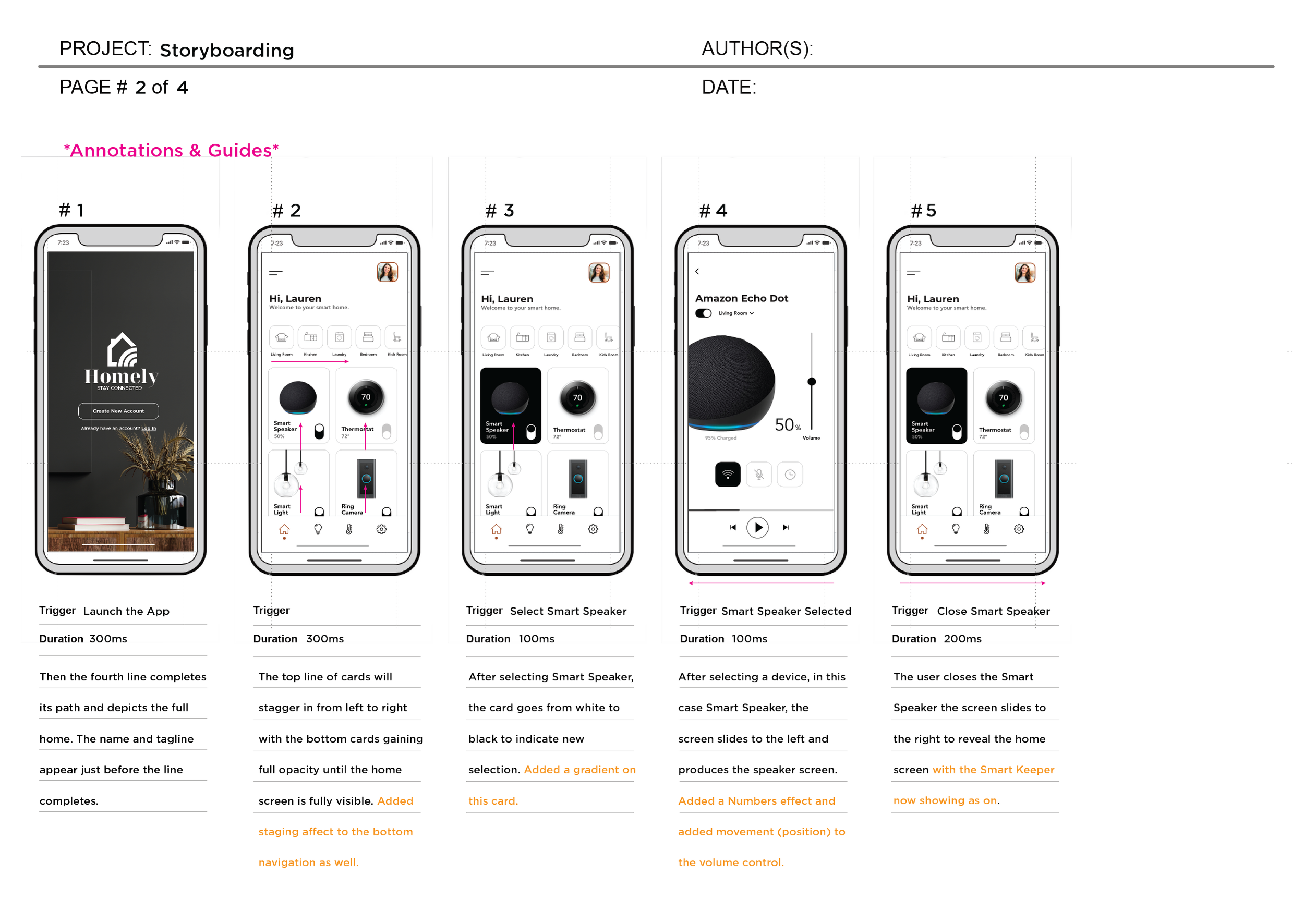
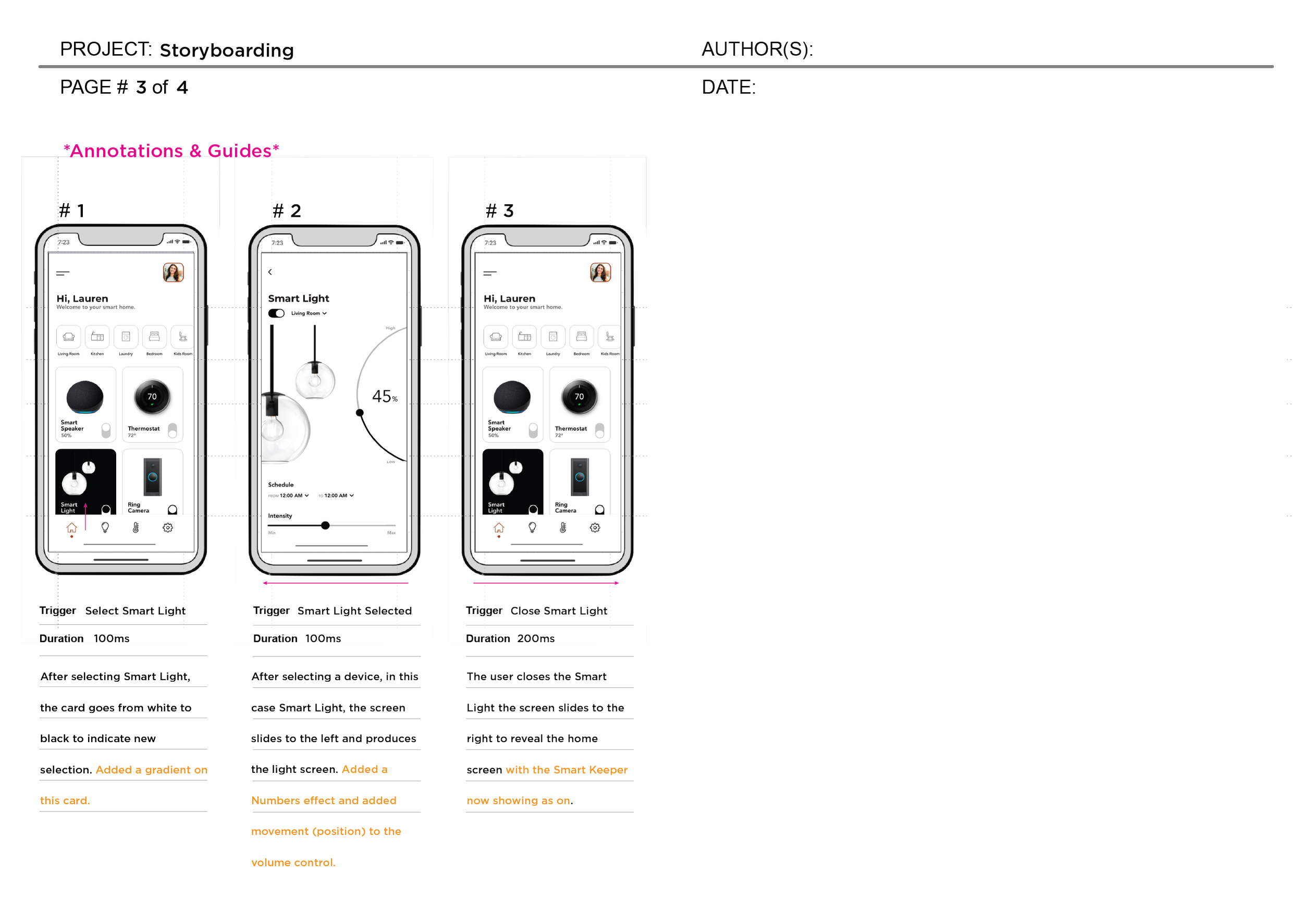
My role was to develop motion concepts using storyboards, showcasing examples of 1) transitions between the screens and 2) screen-specific details like microinteractions.
TYPE
Smart Home App (iOS)
SKILLS APPLIED
UI, Branding, Motion Design
SOFTWARE
Adobe XD, Illustrator, After Effects
ROLE
UI Designer



Reflection
What I've Learned
Precise motion design — exact triggers, durations, and sequencing — communicates craft in a way static screens can't. It's the difference between describing an interaction and actually specifying it.
Smart home products need to feel calm and controlled, not flashy — that shaped every animation choice toward smooth, subtle transitions rather than attention-grabbing ones.
What Would I Do Differently
Build interactive prototypes of the animations rather than storyboards alone, to test whether the timing actually felt as smooth in practice as it did on paper.
This project was completed as part of my UI Design Certificate (CareerFoundry, 2023) — training The Conservation Fund invested in to build my motion design skills as Creative Director. Learning to storyboard precise, purposeful animation here — down to exact triggers and durations for each transition — became a skill I applied directly when directing video and motion storytelling for The Conservation Fund's brand.